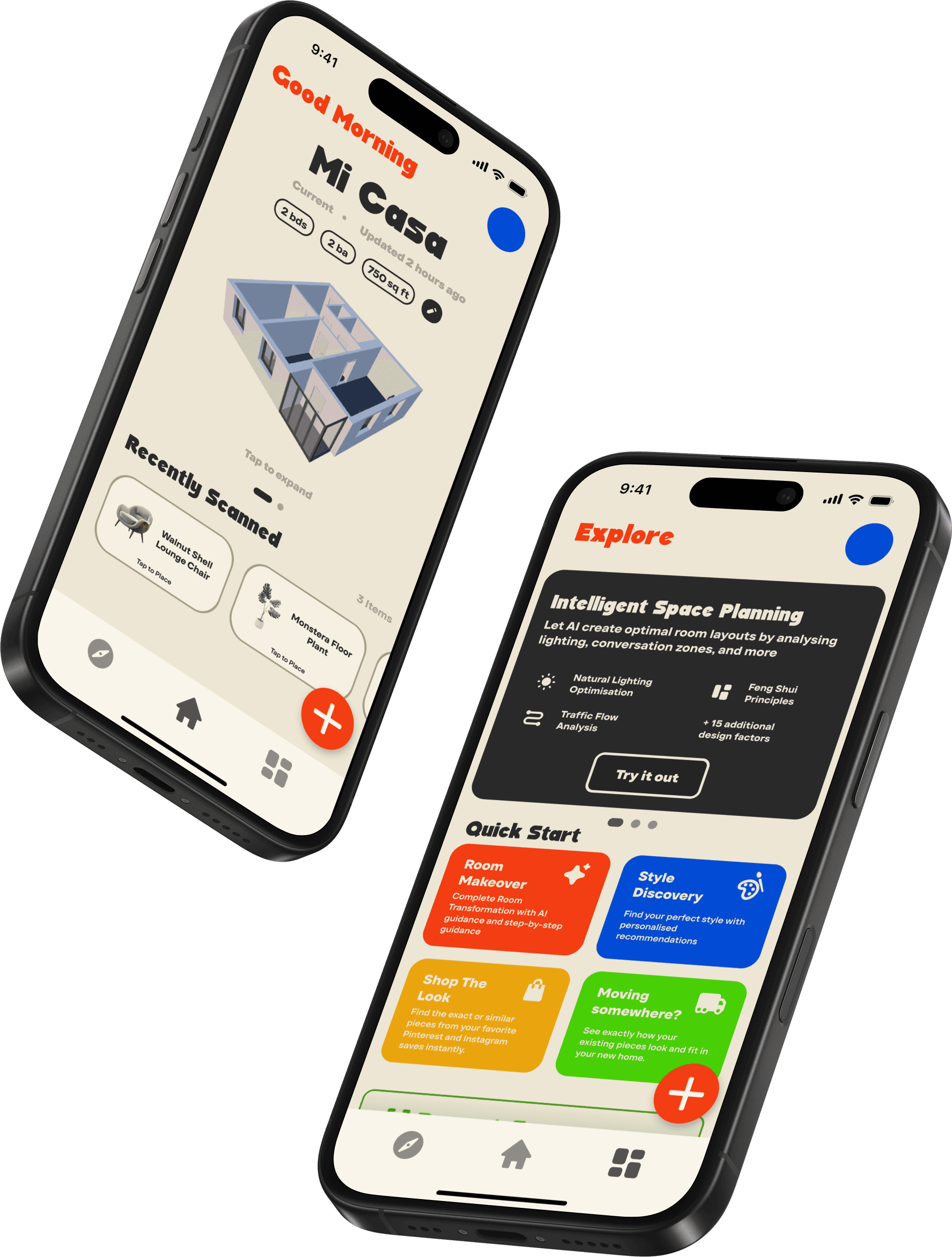
NTR-AR(pronounced like "interior") began as a rapid prototype built during a 36-hour hackathon. While the initial MVP was successful in placing 3D objects in a camera feed, it lacked the spatial awareness necessary for true interior design.
Recognising the potential to solve real home improvement problems, I expanded the project into a comprehensive design tool. Where previously the app had been focused on placing objects into AR space, it was now a fully fledged tool for intelligent room digitisation.
Helping my friends move in and out during college, I noticed a critical gap. Users had photos of the room and dimensions of the furniture, yet they still spent hours physically rearranging heavy items.
Field Research:
The moving
day chaos
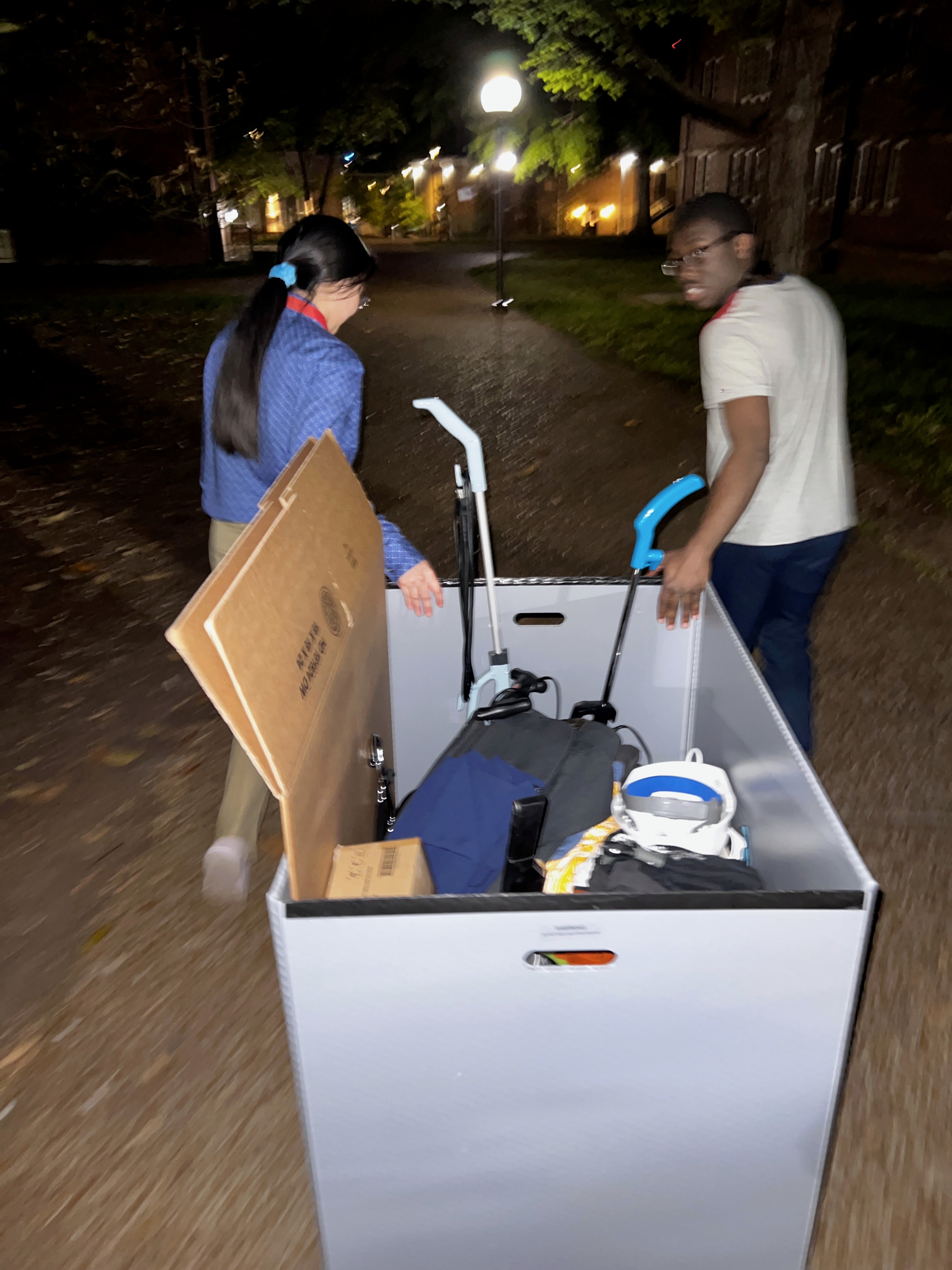
I've helped friends move into countless dorms and apartments, and the story is always the same: they know the room dimensions, they have the furniture, but the arrangement is a bizarrely Herculean task.
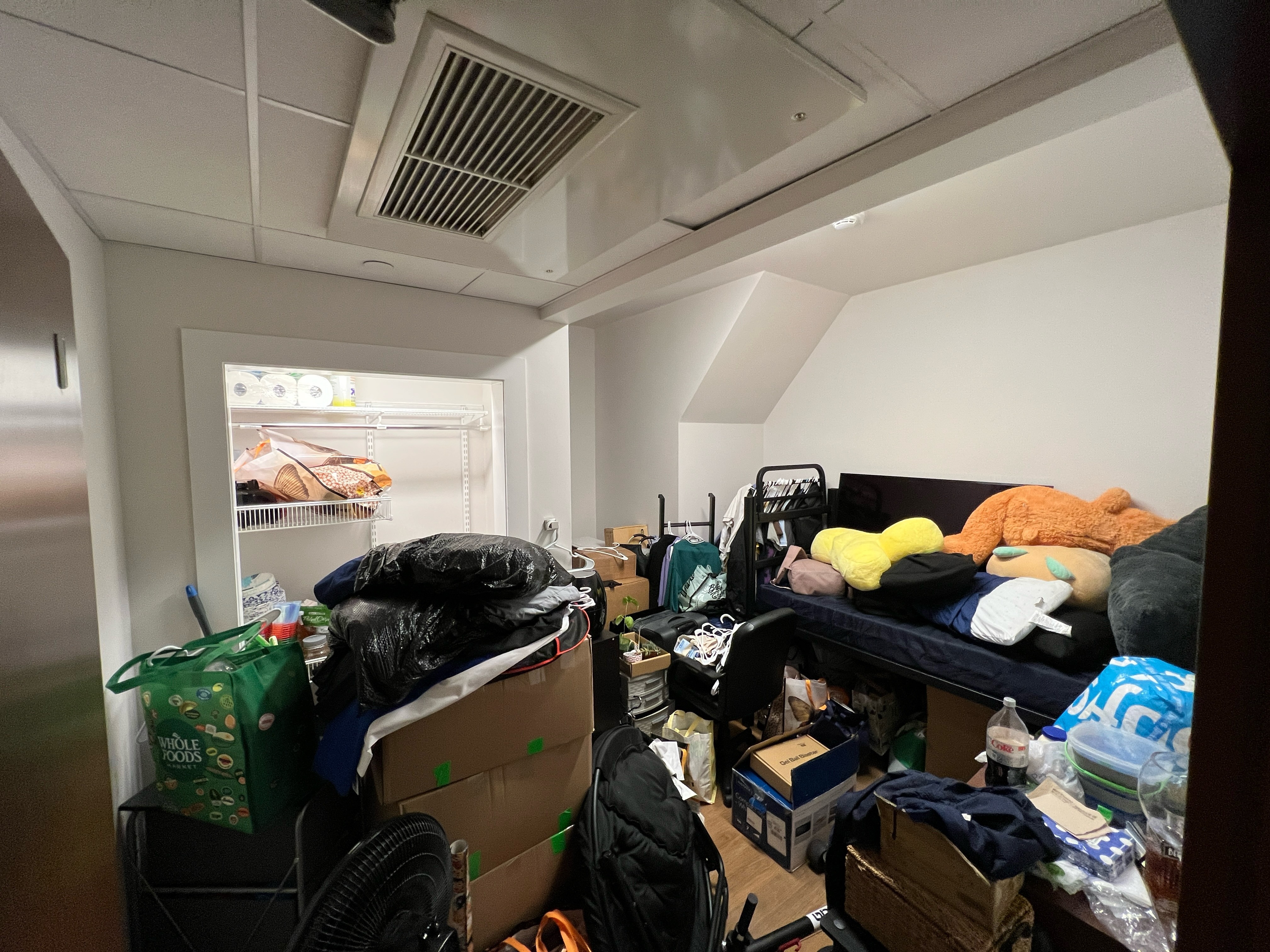
I constantly saw belongings left in suitcases and boxes for weeks because the layout failed. Worse, the first week of school always saw a surge of students frantically selling desks and sofas that fit their old dorm but blocked the door in their new one. This problem wasn't really that of space, but moreso it was the inability for people to visualise the layout of their room before any heavy lifting began.
Auditing the
MVP
To test the usefulness of NTR-AR in it's existing form, I asked some friends who had just come back from studying abroad to test the original hackathon version of NTR-AR using scans we made of their own furniture. Their attempts to design their rooms revealed some critical failures in the MVP:
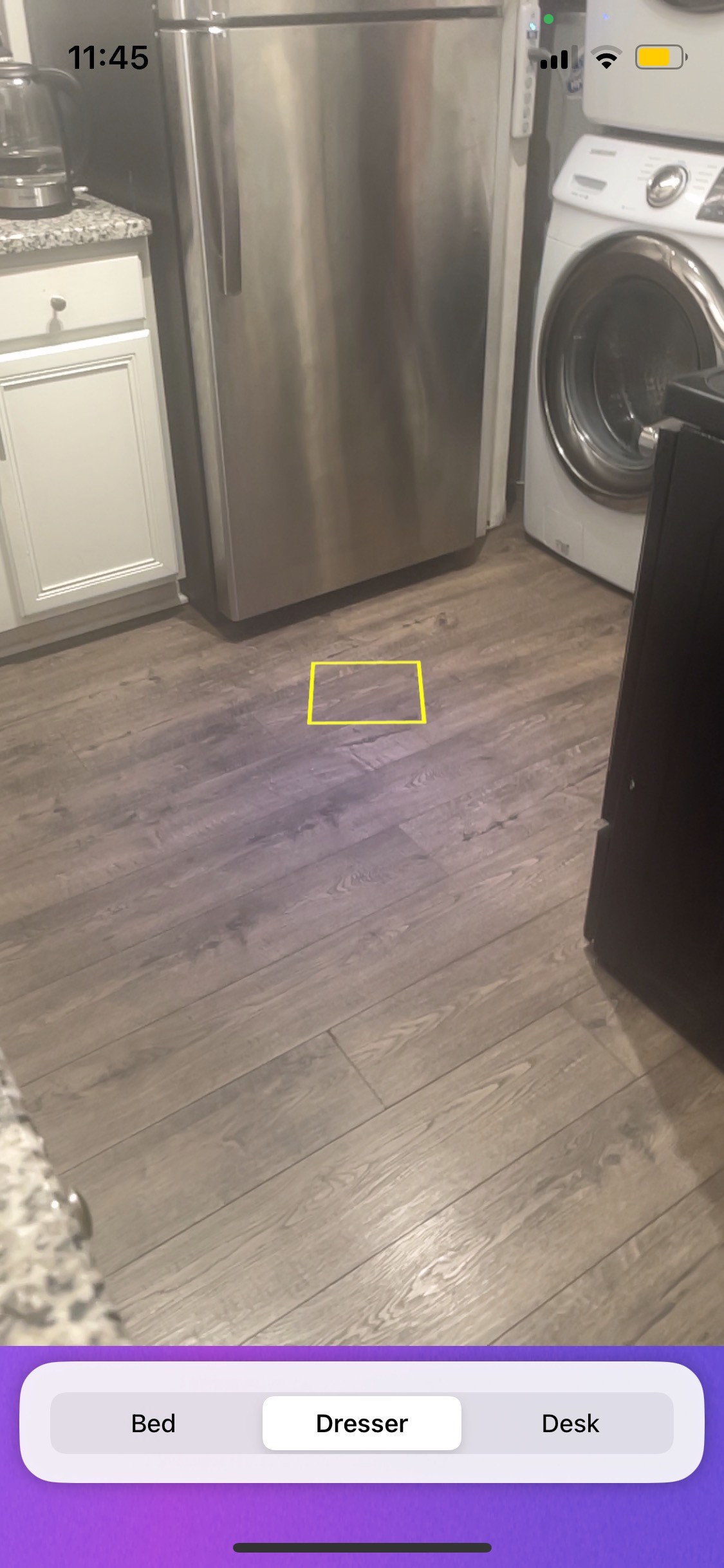
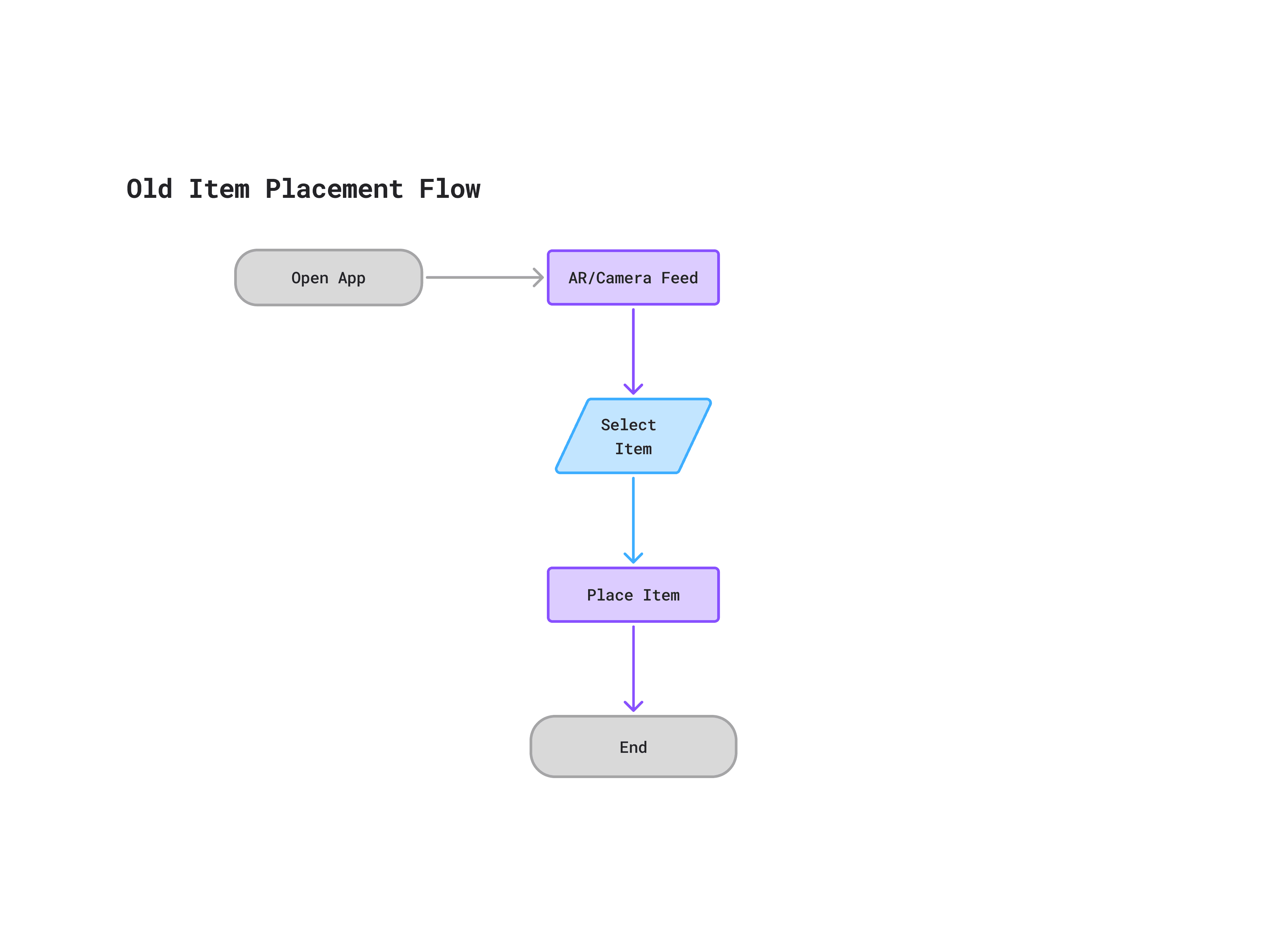
The Starting Point (Hackathon MVP)
The original interface was purely functional. Users were immediately greeted by camera feed with a floating reticle(courtesy of ARKit).
01 Visualisation is only one piece of the puzzle:
The app was one of several tools used to effectively plan the room. Users would have to constantly switch between the app, measuring tapes, notes, etc. and one user noted that besides just a visual indicator, the app didn't offer much utility in planning. The app was very much a passive viewer, relegating the task of dealing with constraints to the user.
The conclusion drawn from this pain point was that the system should become an external source of memory, storing and managing relevant dimensions, and layouts itself.
02 The illusion of scale:
Due to the placement of objects being managed by photogrammetry methods, a 6-foot sofa and an 8-foot sofa could end up looking identical on screen. The users couldn't trust the visual feed for planning decisons
The takeaway here was that the visualisation needed more dimensional information/accuracy and persistence with reality.
02 A fragmented workflow:
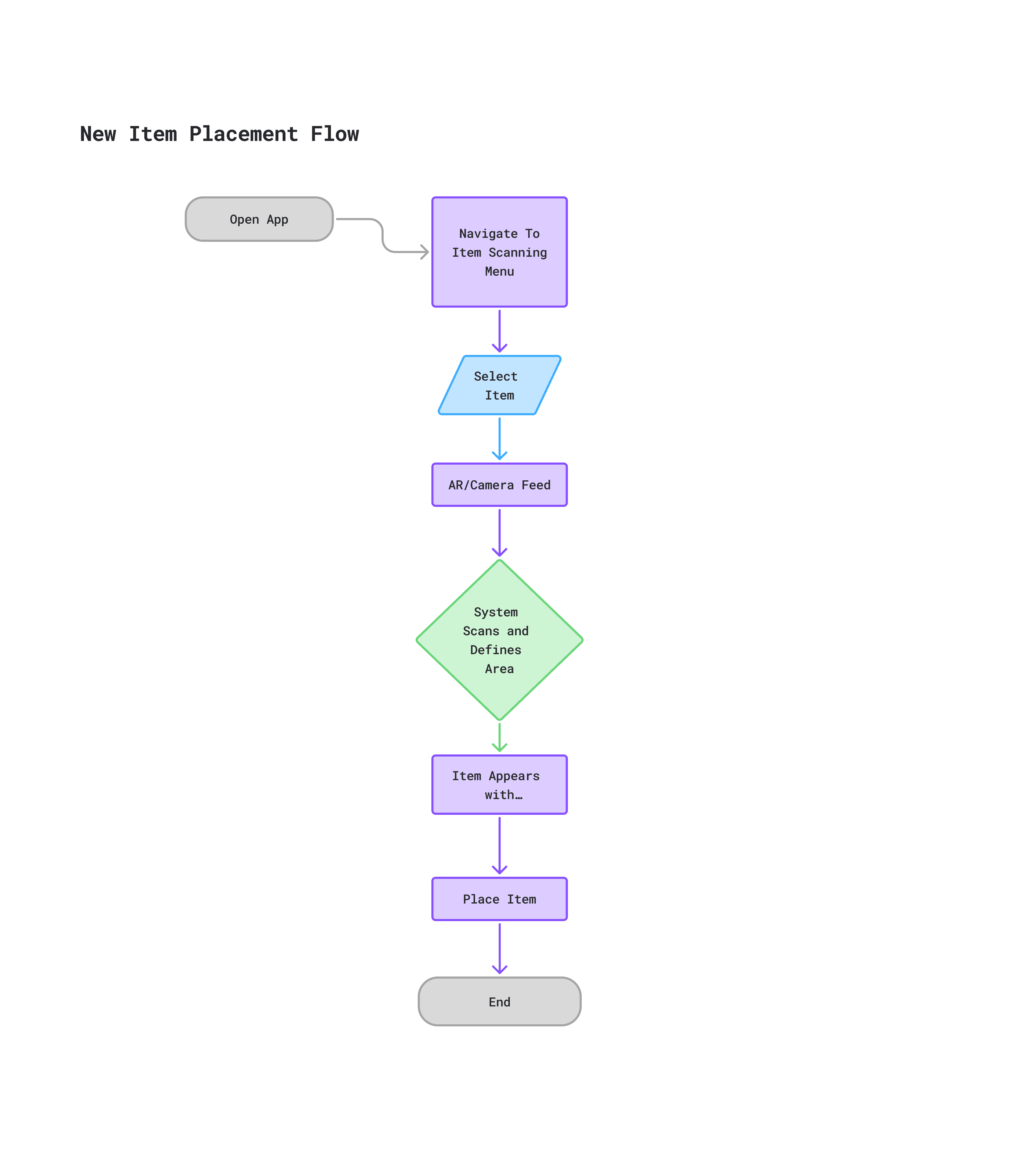
tHe MVP dropped users directly into placing objects with little other information or context. This guessing and checking interaction resulted in objects floating in mid-air and clipping through walls, floors, and ceilings.
The improved app would have to deal with this by avoiding placing the user right into the action.
Building an
ecosystem
The hackathon MVP proved that AR visualisation was possible, but the user research exposed that it wasn't that useful in isolation.
To solve the core friction points that were uncovered, I realised that the app needed to increase in scope to actually be useful. As this was a design project and I wasn't planning on coding up a new version of the app, I wasn't concerned by the scope creep.
Addressing the issues faced by the users, the app would have to become an intelligent companion that had an understanding of the space and the home. I expanded it from a single-screen camera utility to a comprehensive system that helps users discover, understand, manage, and visualise their space.
Site Map
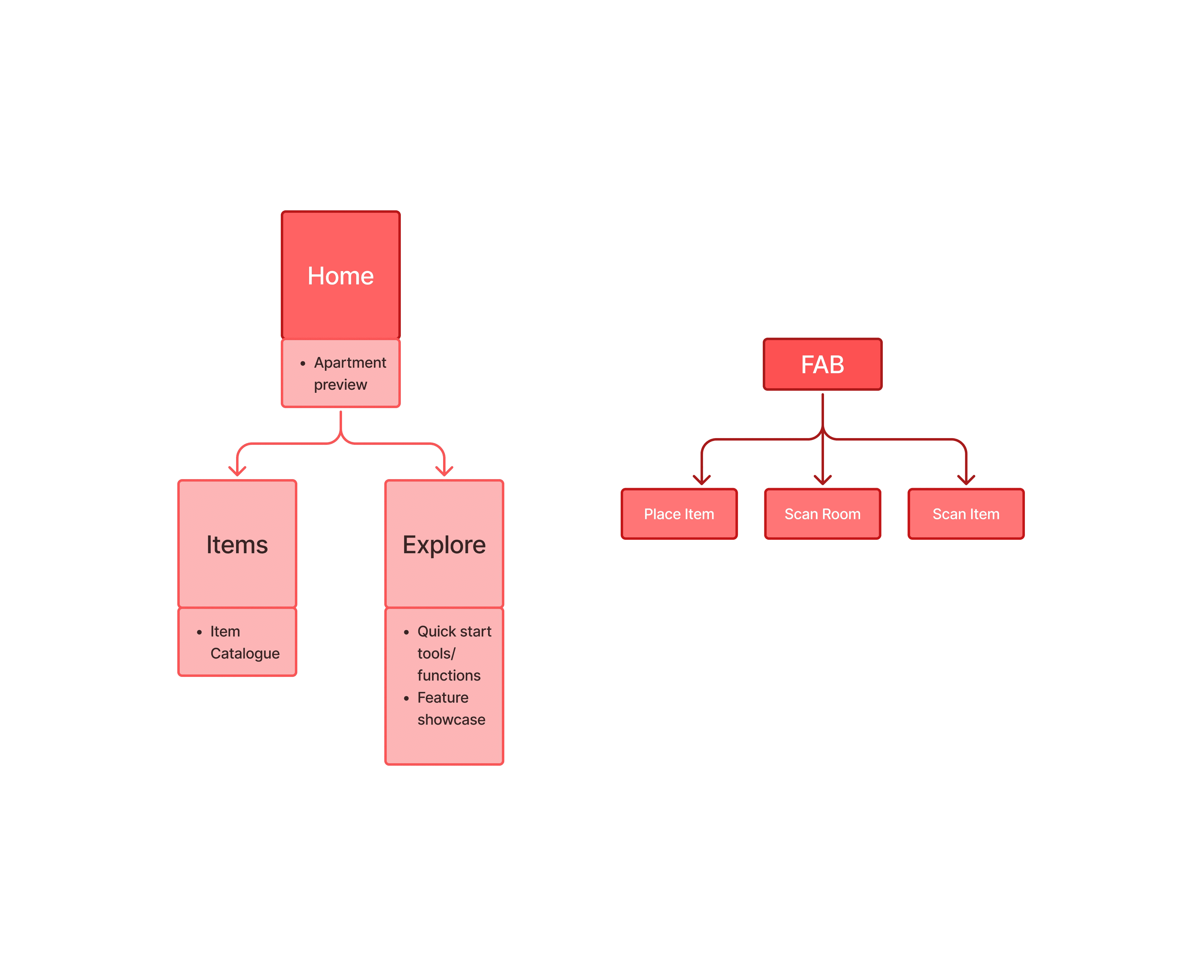
In order to organise all the new ideas for the system and the restructuring of the app, I decided to create a basic site map. This allowed me to better understand how I should place things in relation to each other and guided me when producing my wireframes and eventual prototype. It also helped me to decide that I should use a floating-action-button to manage my core interactions of scanning items/rooms, and placing items.
LOW-FI
WIREFRAMES
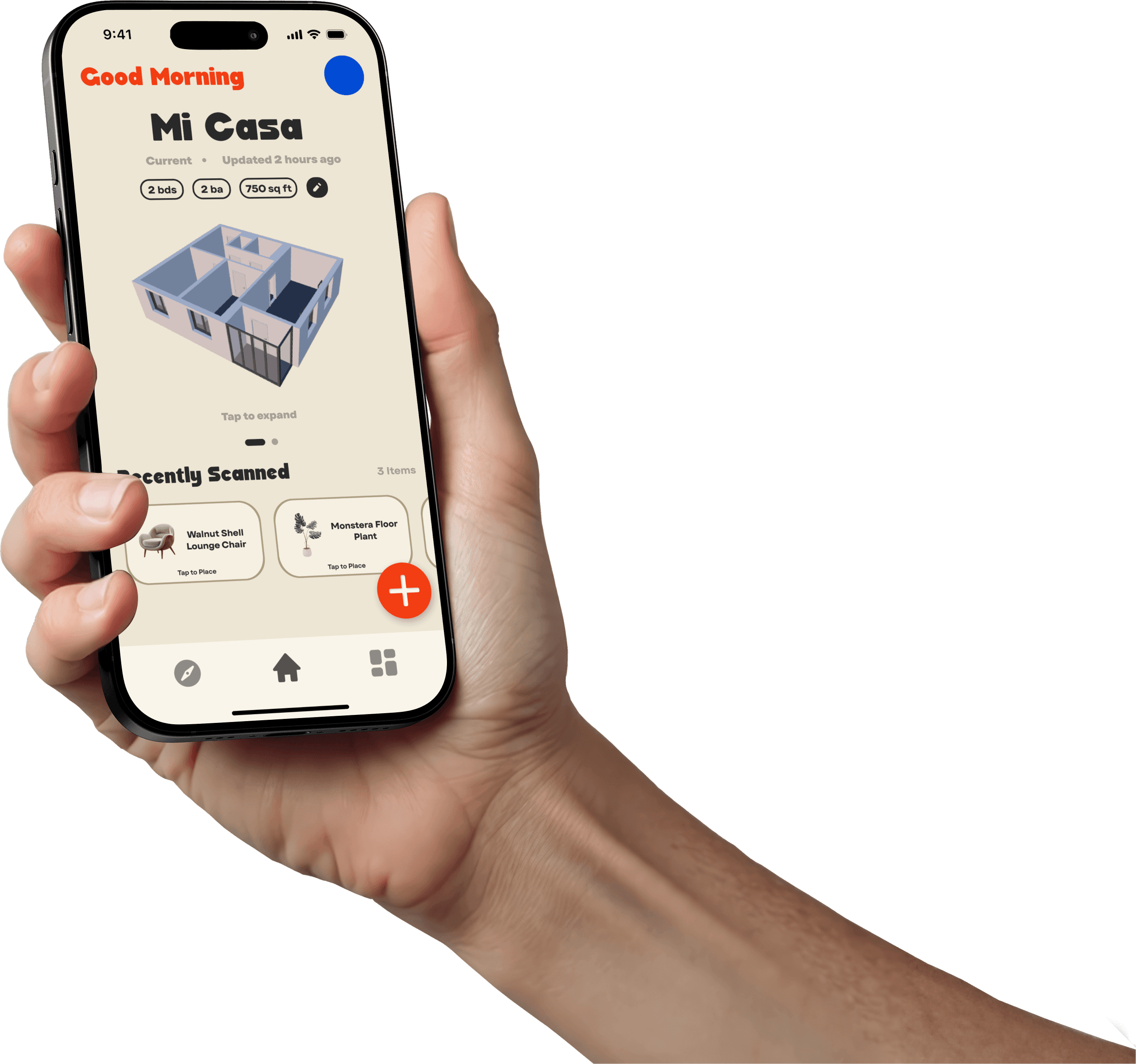
UNLIKE THE MVP WHICH IMMEDIATELY THRUST THE USERS INTO A CAMERA FEED, THE REDESIGN CENTRES AROUND A HOME HUB WHICH HOUSES A MINI PREVIEW OF THE USER'S HOME. A ITEM MANAGEMENT AND EXPLORE SCREEN HAS ALSO BEEN ADDED TO INCLUDE THE NEW FEATURES OF THE NTR ECOSYSTEM ALONGSIDE THE FLOATING ACTION BUTTON TO MANAGE THE CORE INTERACTIONS.
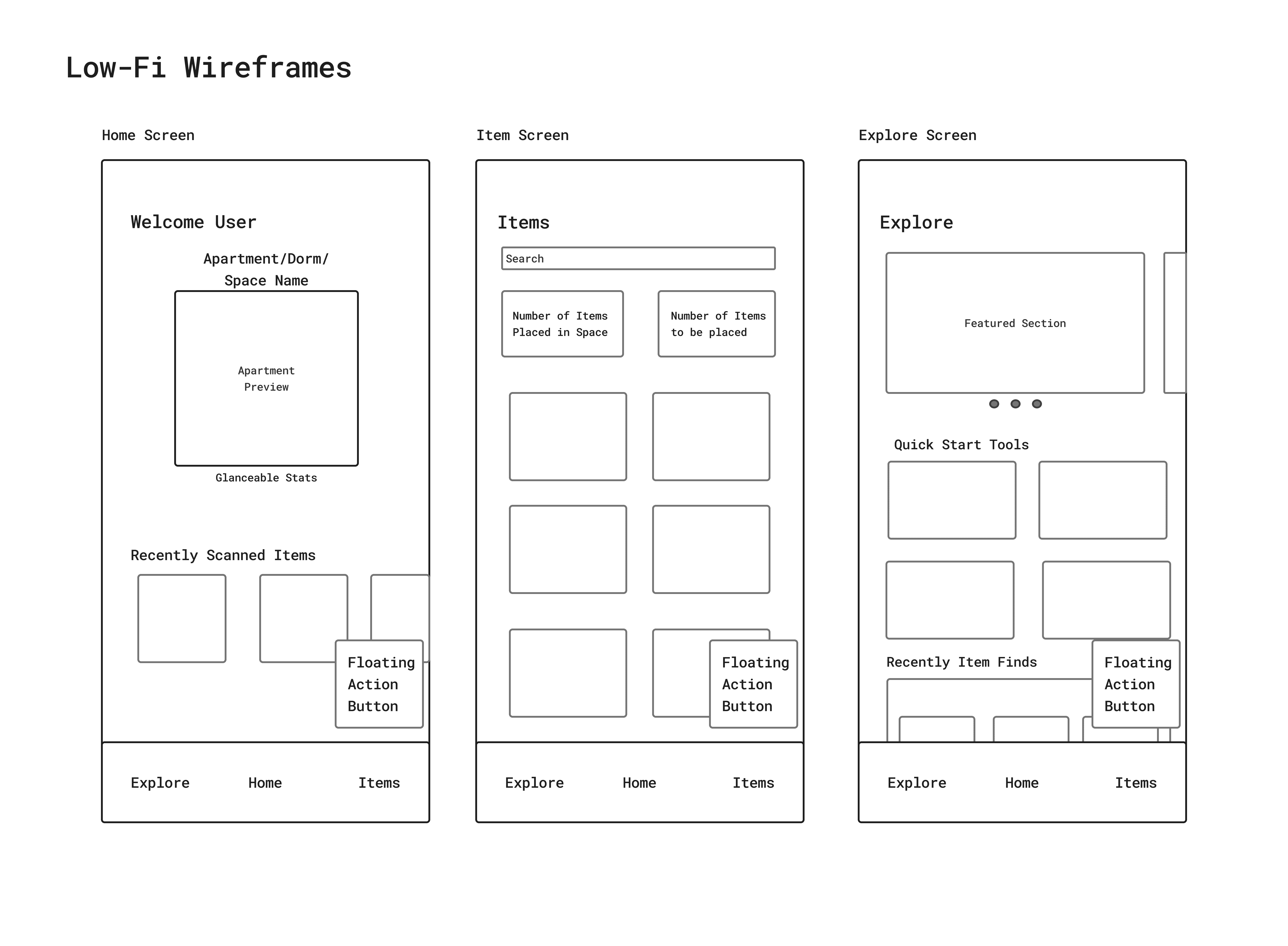
Core
Interactions
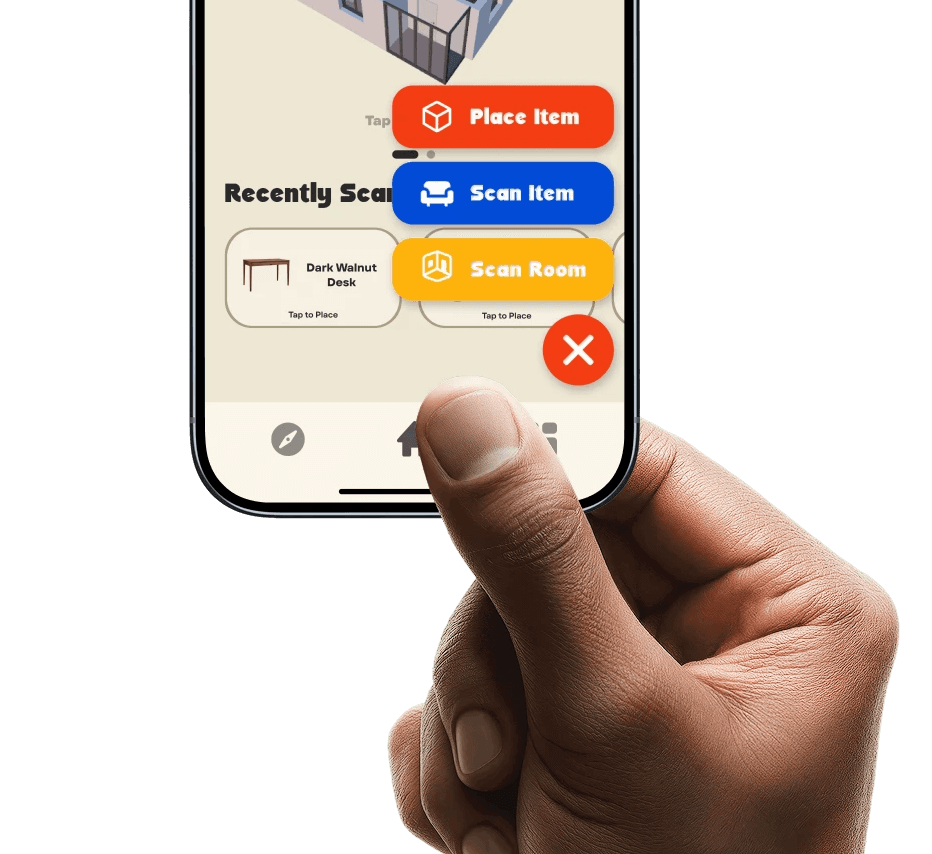
The original MVP was a design tool with a scanner but these things could feel at odds just because you need to consider both the details and the full picture view for design. The floating-Action button allows users to decouple the core tasks that could be at conflict as well as be the home to features that advance the app. These three core actions are:
Scan Item: This lets you capture objects and analyse dimensions.
Scan room: Enables you to digitise your environment and add to the App's Understanding of your home.
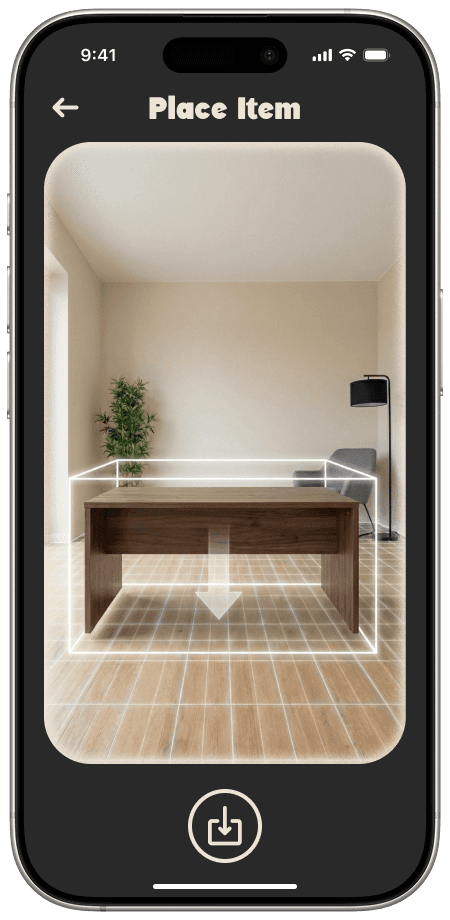
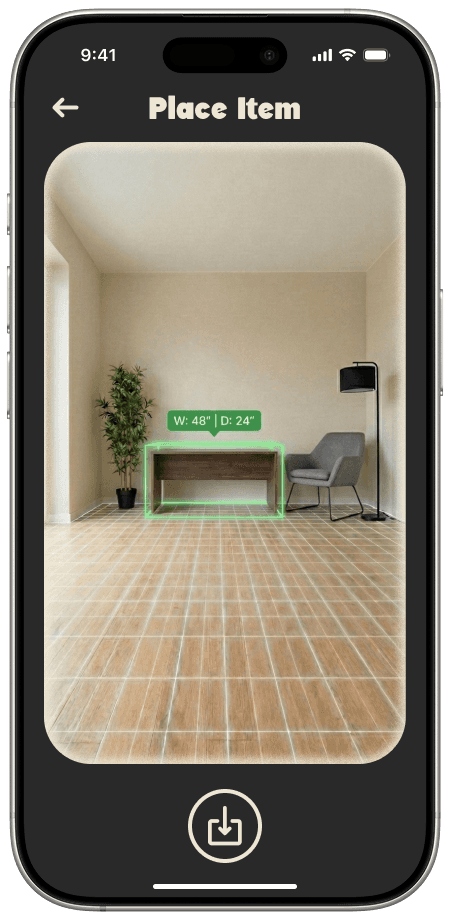
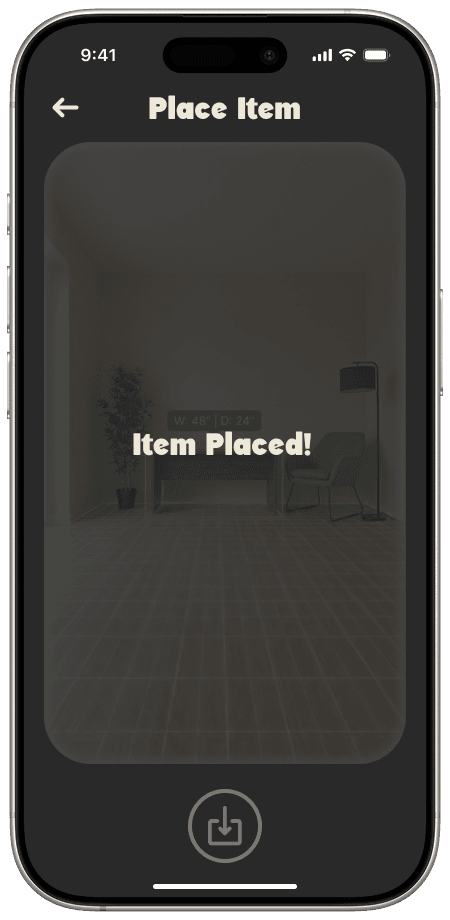
Place Item: Uses the gathered information from scanning items and your room to let you design.
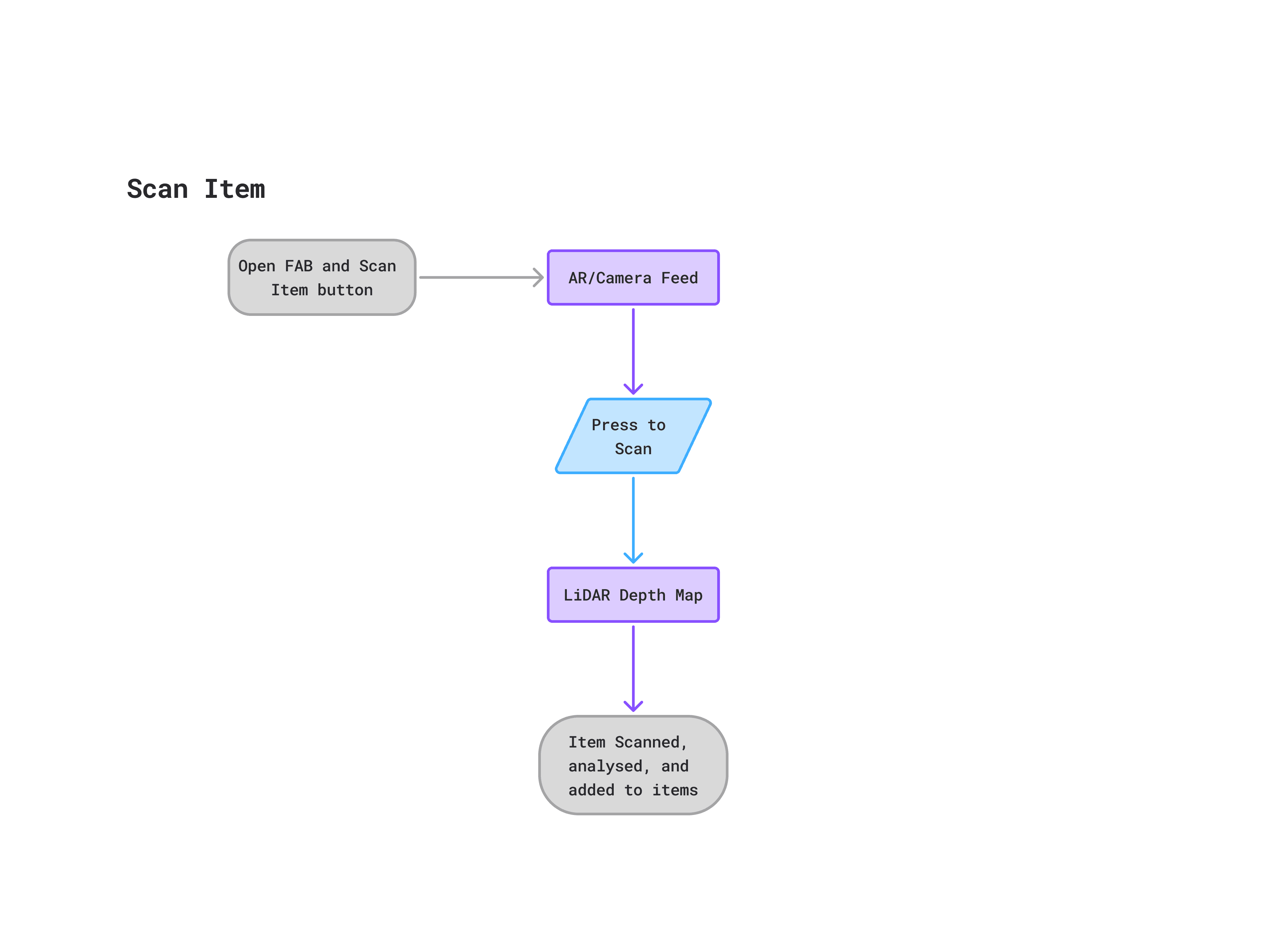
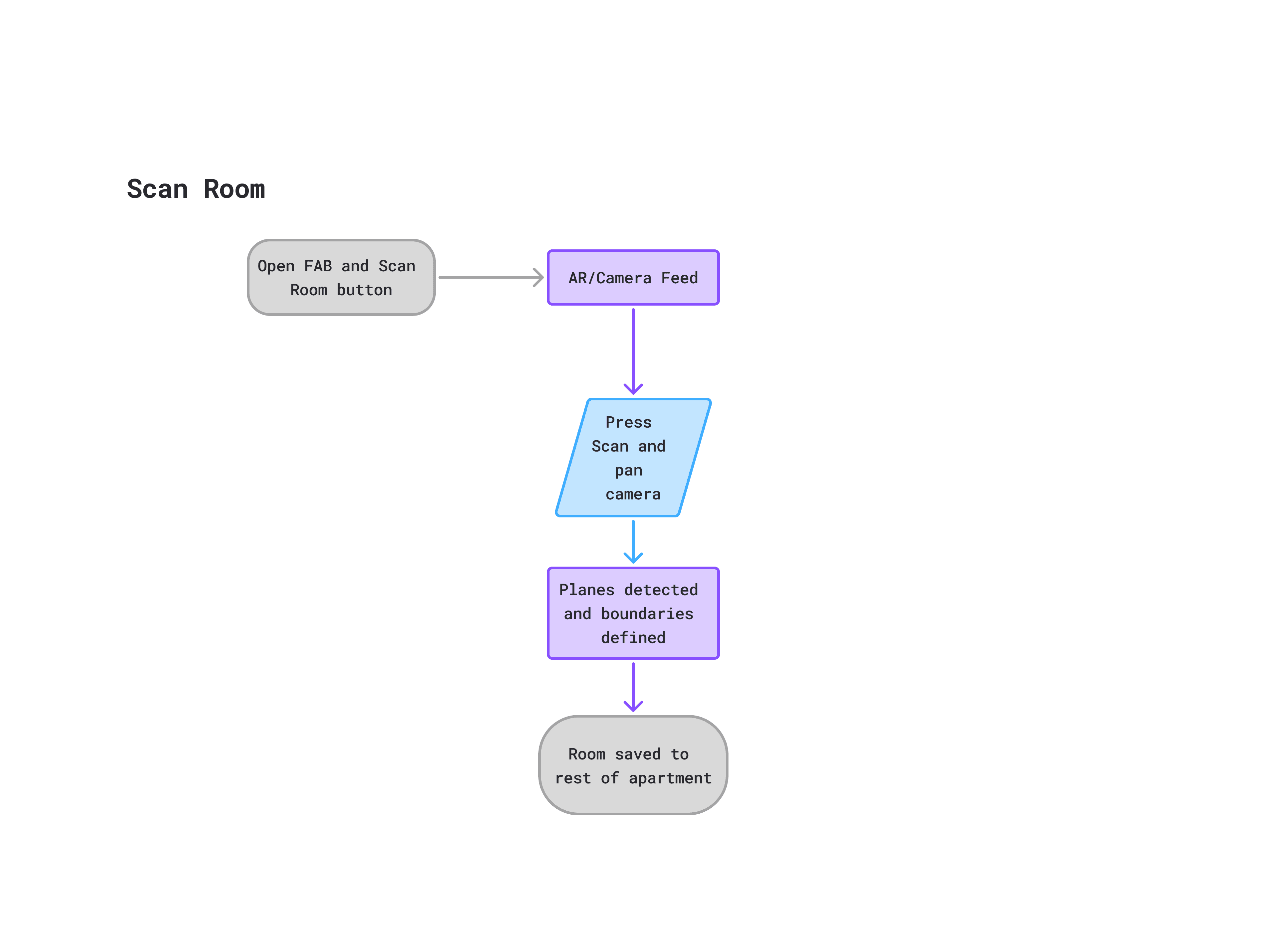
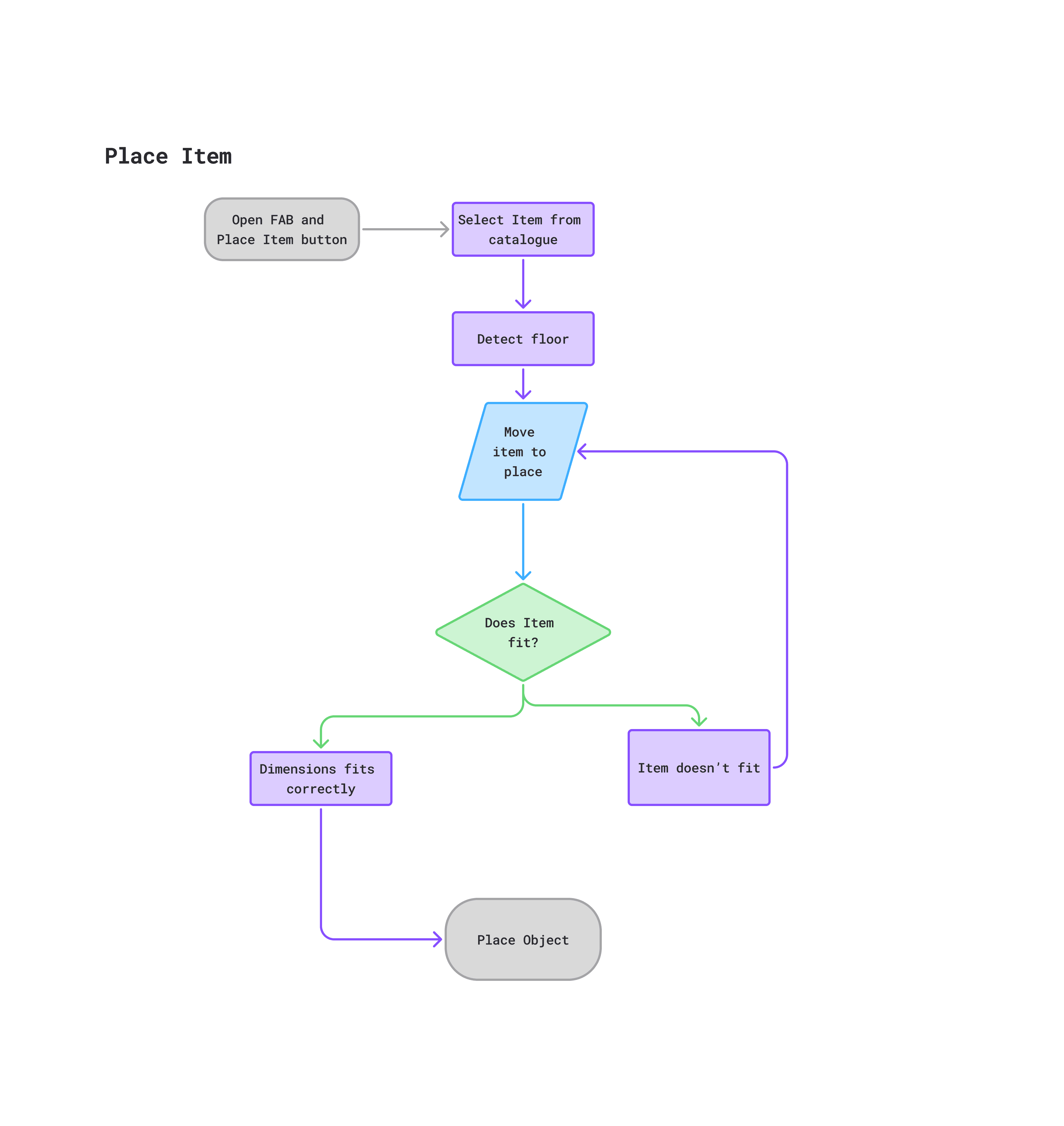
The home screen allows users to manage their space from wherever. Instead of needing to be in the room to measure a wall, they can simply click the isometric view and measure from anywhere in the world.
NTR-AR's Floating Action Button (FAB) serves as the gateway to the camera and the AR features. By grouping these high-friction core interactions (Place Item, Scan Item, Scan Room) into a single expandable menu, the main interface remains uncluttered while keeping core functionality accessible in the natural zone occupied by your thumb.
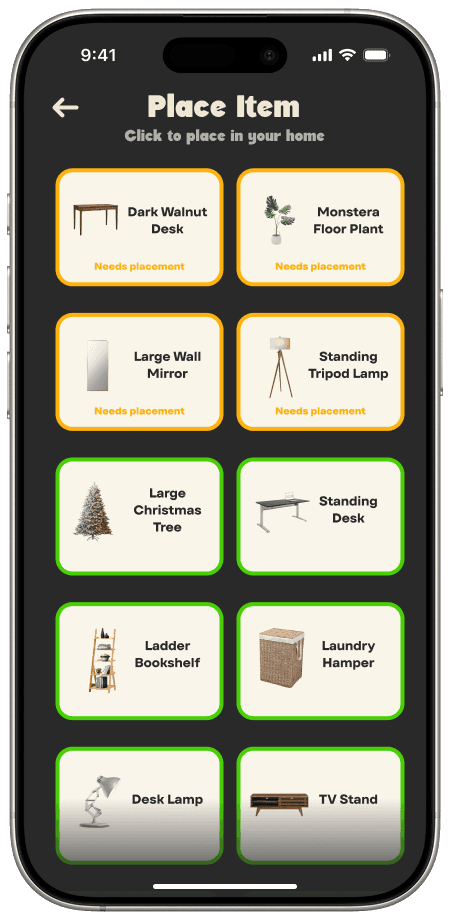
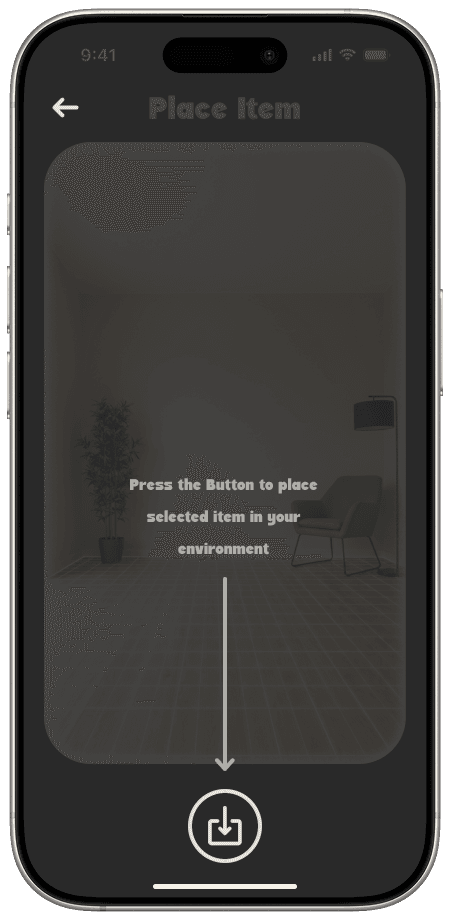
The explore page
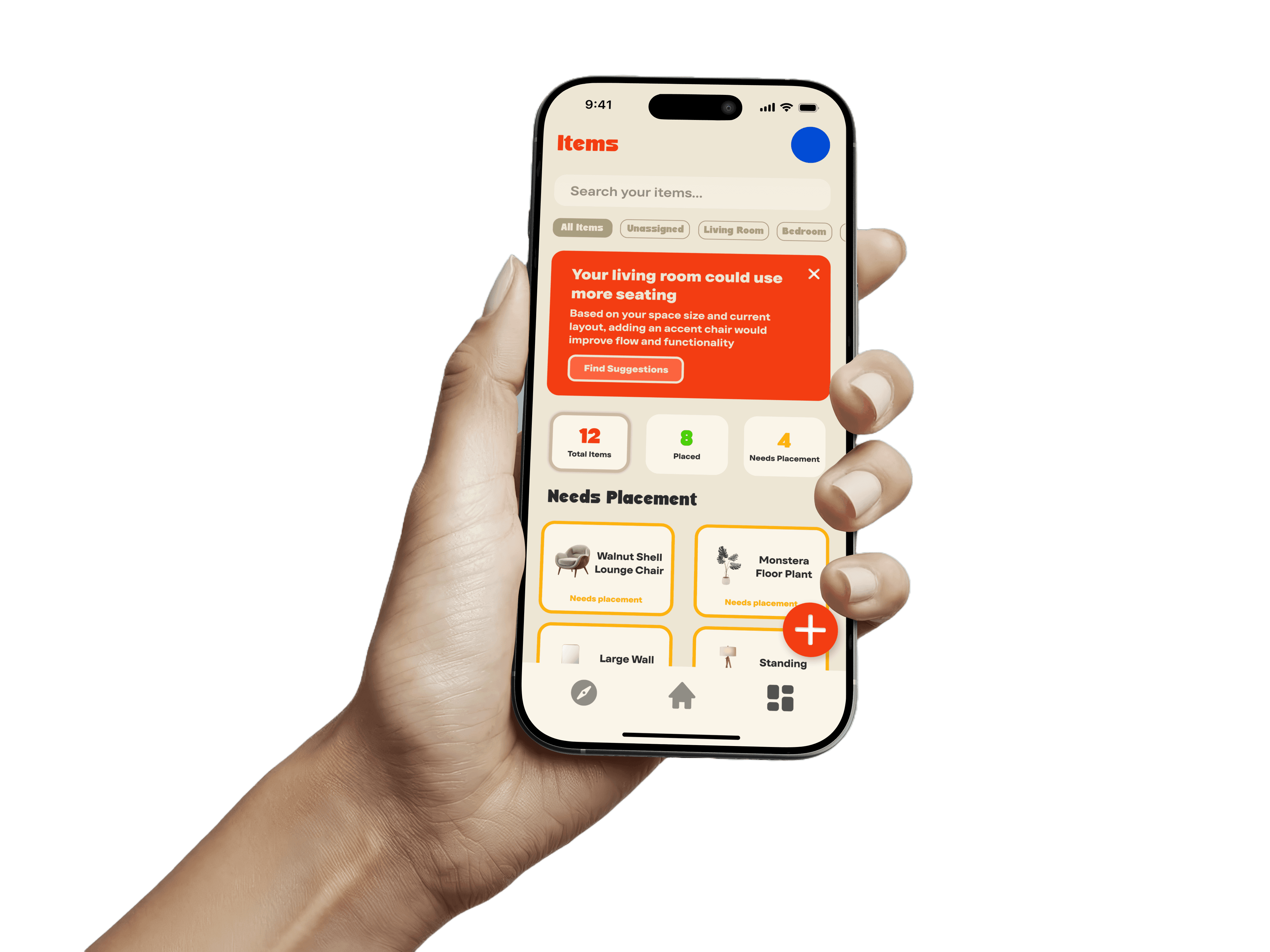
This page is where the users' furniture is all managed. Users can view their belongings categorised by status("placed" vs "needs placement"). By separating the logistical task of tracking items from the visual task of placing them, the app reduces decision fatigue. The 'Items' list handles the memory work, allowing the user to focus purely on how their space looks and feels.
The visual language of the original MVP was purely functional, relying on standard iOS system components and some minimal visual add ons. For the redesign, I wanted to strip away the clinical and frankly boring feel and replace it with an aesthetic that felt nostalgic, tactile, and sunny.
I was inspired by The "Leisure" Aesthetic Drawing inspiration from the retro branding of Vacation Inc, I developed a palette that would make moving and decorating have a more fun feel.
I moved away from pure white backgrounds (#FFFFFF) which can cause eye strain, opting instead for a warm cream base.
#EDE6D4: Used for backgrounds
#292929: Used for primary text. softer than pure black, reducing contrast against the cream
#014BD5: primary brand colour
#F33D12: primary brand colour
FDB20D: primary brand colour
Typography
The type pairing was chosen to balance high readability with strong character
Headings
Surreal Winner
Surreal winner is a very bold, slightly eccentric display font used for the logo and top-level headers. Its curvy, unexpected geometry adds a Retro touch to the interface, reinforcing the app's friendly personality.
Body Copy
TT Firs Text
TT Firs Text is a modern geometric sans-serif. I picked this for its high legibility at all sizes.
I designed a custom app icon and logo mark that encapsulates the "Digital Home" concept. The iconography throughout the app uses filled, rounded forms to match the Surreal Winner typeface.